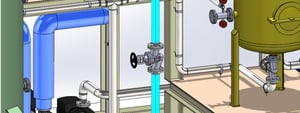
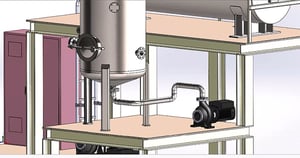
With Smap3D Piping, you can automate the planning and modification of 3D piping in 3D assemblies and turn your 3D CAD system into a very powerful 3D plant engineering solution. Smap3D Piping works as an add-in in the supported CAD systems Solid Edge, SOLIDWORKS and Inventor.
Smap3D Piping uses so-called pipe specifications for this purpose. These are specification tables in which the relationship of the piping components to piping features is defined once for each company, department or project. These pipe classes are stored as individual files in the system and can be easily maintained and managed using the pipe class editor.
The high degree of automation prevents individual user errors and thus ensures a high level of process reliability.
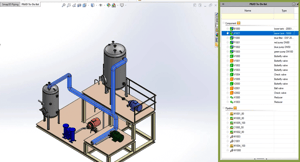
Smap3D Piping can accept created P&IDs, which are processed via the so-called to-do list. This guarantees that all pipes planned in the process engineering are actually transferred to the 3D model. The user draws the route of the desired pipework directly in the 3D CAD. Numerous optimization functions from the CAD as well as additional functions from Smap3D Piping can be used for this. By assigning a pipe class, the desired pipeline including all additional components such as fittings, bends, T-pieces, seals, reducers, etc. can be created quickly and easily. Additional components such as fittings and instruments can be inserted into or removed from the pipework at any time, depending on the pipe class. Smap3D Piping then automatically calculates the "new" pipe.
Smap3D Piping can also be used to process any non-circular cross-sections such as cable shafts, routes, ventilation ducts, etc.
Integrated design checks allow, for example, collision checks or can recognize components and pipe paths that do not conform to pipe classes.
Smap3D Piping can be used to automatically create BOMs and derive pipework isometrics using the Smap3D Isometric module. This exports all the information on the 3D pipework and creates the isometric drawing fully automatically. The basic software is ISOGEN® from the market leader Alias (Intergraph). Desired customizations and configurations (rules and attribute assignments) can be made in a user-friendly manner. The parts lists can be recognized and further processed during isometric creation.