Training:
Smap3D Piping for SolidWorks

Intelligent 3D Pipeline Planning
with SolidWorks and
Smap3D Piping

October 19- 21, 2010
Nittendorf/Germany

Registration

3D Pipe System Planning With Smap3D Piping

With Smap3D Piping, an extremely efficient 3D plant
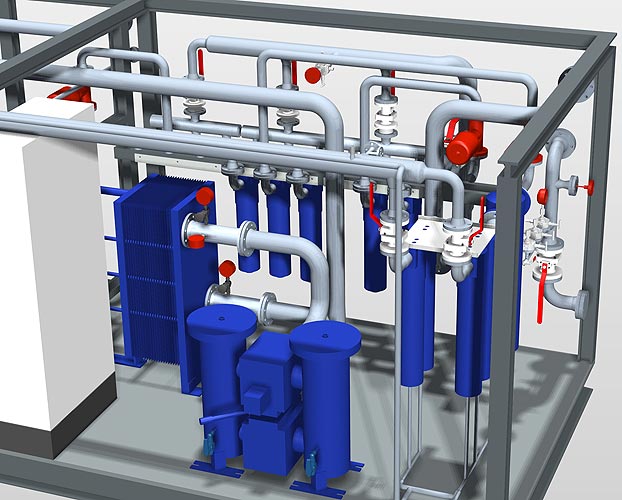
design solution can be attained from the 3D CAD 3D-CAD-Software for pipeline planning - Smap3D Piping
system. A modern and innovative software solution, Smap3D Piping is fully integrated in Solid Edge® und SolidWorks® 3D CAD systems.

Using Smap3D Piping:


Basics of 3D pipe system construction

Smap3D Piping works as an 'Add-in' in the supported CAD systems. The programme automises the construction and alteration of 3D pipe systems in 3D assembly groups; a laborious task which an engineer or pipeline planner would otherwise have to carry out in separate stages.

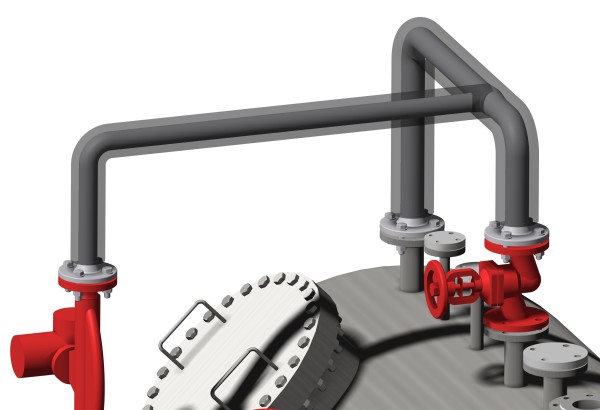
3D-CAD-Software for pipeline planning - Smap3D Piping

The basis of this highly automised 3D pipeline construction is the use of pipe classes. By pipe classes, we mean specification tables, in which the affiliation of components , (fittings, flanges etc) is determined by  the   unique company, department or project-specific pipe system characteristics. Further additional functions and settings control the behaviour of the software individually on its application - according to the pipe class used.

For internal software plausibility checks, necessary parameters (e.g. maximum and minimum pipe lengths) can be defined. An existing pipe class specification is individually filed in the system. This central  definition

  • facilitates the maintenance and management of the pipe classes,
  • makes a high level of automisation possible and
  • prevents individual errors on use of the application by the engineer,
  • whereby a high degree of process security is achieved.

As standard practice, Smap3D piping comprises all the necessary functions for construction, maintenance and management of the pipe class definitions (Pipe class editor). Pipe class 'samples' are delivered with the software. These can be directly applied or copied and altered according to particular requirements.

Top

3D pipe system construction working method

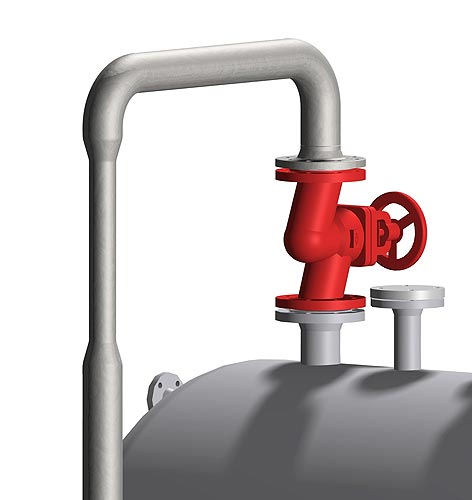
3D-CAD-Software for pipeline planning - Smap3D PipingA user draws and defines the required pipe system route as a programmed toolpath with 3D lines (basic functions in the CAD system). Smap3D piping analyses the earmarked line elements and composes the pipeline paths automatically from the logical criteria. A pipeline path describes the route of a 'continuous' pipe system from one connection to another, regardless of how many interjacent line elements the path is made up of.  Further new pipeline paths begin at each branch. Pipeline paths are associative with the drawn 3D line elements of the CAD system. Pipeline paths form the basis for the generated 3D pipeline, made up of fittings and pipes.
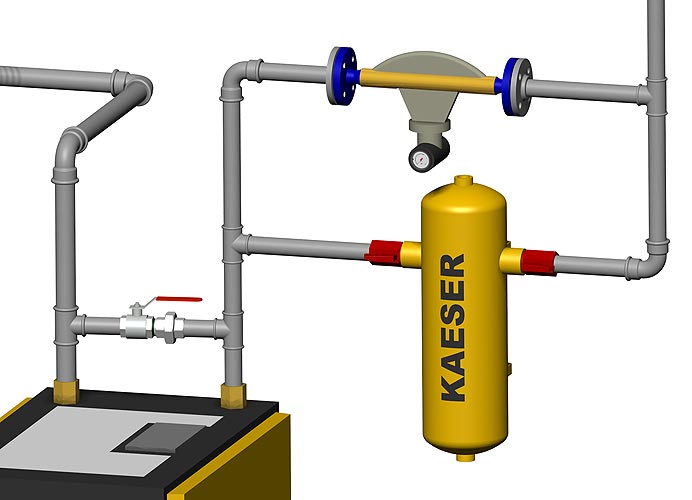
As a rule, the user has two different high-performance methods of operation at his disposal with Smap3D Piping:

  • Pipeline construction with pipe classes (fully automated)
  • Pipeline construction without pipe classes (partly automated)

Top


3D Pipeline construction with pipe classes

In pipeline construction with pipe classes, Smap3D Piping automatically generates the complete pipe system according to the required pipe class, its diameter, as well as other pipe system characteristics. In the process, the software adopts the automised placing of fittings necessary for the pipeline route for a multiplicity of standard situations (e.g. bends, T-pieces, flanges, washers) as well as the construction of all pipes between the fittings. This saves time and affords process security.

3D-CAD-Software for pipeline planning - Smap3D PipingThe insertion of additional components (e.g. fittings and instruments) in an existing pipe system is easily possible. Smap3D Piping draws from the utilized pipe class definitions in the construction of the pipe system and permits only the installation of the appropriate specific components.

Subsequent to their placing, Smap3D Piping recognizes the new setting. If missing or superfluous pipe pieces turn up between the components, the correction follows automatically. This method of operation achieves a high level of process security in 3D pipe system planning.

In alterations of the pipe system route (programmed toolpaths) the updating of the constructed pipeline (missing or superfluous fittings and pipes) is carried out fully automatically using the 'knowledge' of the utilised pipe classes.

In alterations to the composition of existing pipelines, for example, in changes to the pipe class, the diameter, or another pipe class feature, Smap3D Piping proceeds in the same way and uses the memorised definitions from the pipe classes.

For the generation of reduced or extended pipelines the user must determine only the required diameter and position of the reduced or extended components. The placement of the components as well as the complete modification of the changed pipeline parts to the new diameter are carried out by Smap3D Piping.

In all automatisms offered by Smap3D Piping, the user is still in the position to extend and edit a pipe system according to his individual requirements, with the use of different functions, e.g. 'Use undefined components', 'Place parts' etc.

Demo films Smap3D Piping:

Overview Smap3D Piping for Solid Edge (german)
Overview Smap3D Piping for SolidWorks (english)

To play the following film (wmv), please click on the adjoining titles or the appropriate icon in the picture.

3D-CAD-Software for pipeline planning - Smap3D Piping -Demo films Introduction: Drawing pipe paths in XpresRoute
Generate auxiliary pipes
Generate pipeline
Recalculate pipeline
Edit pipeline
Refresh pipeline
Delete components
Place part
Replace part
Generate insulations
Place concentric reduction
Show/hide components
Without icon:
Create 2D drawing with parts list

Create isometric drawing


Top

3D pipe system construction without pipe classes

In pipeline construction without pipe classes the engineer must enter the necessary definitions for the utilised fittings (bends, flanges etc) and pipes in each pipeline construction route through Smap3D Piping, interactively.This, although easily carried out, does not achieve the same productivity or process security attained when operating with pipe classes.

The insertion of additional components (e.g. fittings) in an existing pipeline is also possible. Smap3D Piping recognises possible missing or superfluous pipe parts between the components and corrects the affected pipes automatically. The software draws on the pipe definition which the engineer has interactively utilised in the construction of the pipeline.

The alteration of the pipe system routes and their composition is also basically possible when operating without pipe classes, but because of missing central definitions, this involves more manual activity. Process security cannot be guaranteed

.

Top

Main functions of 3D pipe system construction

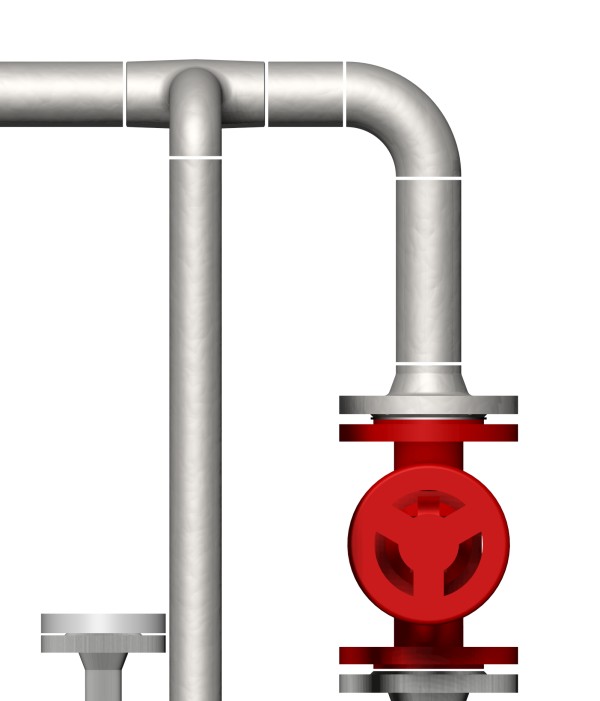
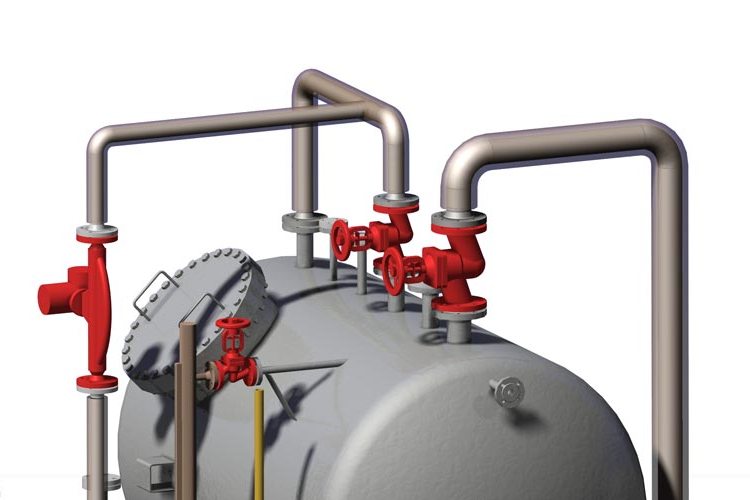
3D-CAD-Software for pipeline planning - Smap3D Piping - Main functionsIn pipe system construction with pipe classes, 14 fully automatic placing routines are available for fittings in standard settings in 3D pipe systems. The most important of these are the automatic placing of

  • bends with 15, 30, 45, 60, 75, and 90 degrees
  • T-pieces at 45 and 90 degrees with the same and reduced diamters
  • Flanges and washers
  • and the generation of pipe pieces between the placed fittings.

Further Smap3D Piping  intelligent automatisms and functions for the pipeline planner's assistance are:

3D-CAD-Software for pipeline planning - Smap3D Piping - Main functionsPlacement of flanged collars/Sockolets/ Weldolets
As alternatives to T-pieces, so-called flanged collars or Sockolets / Weldolets are used. In this method, a pipe branch is manufactured via mechanical processing (plastically deformed or welded) in several stages. With Smap3D Piping the placing of flanged collar / Weldolet components follows automatically.


Generation of bent pipes
In the place of bends with straight pipes, in some cases, bent pipes for the connection between further fittings are used. This is fully supported by Smap3D Piping. With automatic generation, bend-fittings are not assembled with the possible 'bend-positions'; instead, according to the pipe class definition, bent pipes are generated with the bending radius of the bend-fitting or another defined bending radius.

3D-CAD-Software for pipeline planning - Smap3D Piping - Main functionsManufacture of line reductions or extentions
Components for the alteration of pipeline diameters can be placed with just a few clicks of the mouse. All necessary operations, such as the separation of pipeline paths, insertion of reduction or extention, shortening of pipes, alteration of diameter, exchange of fittings, etc, are carried out by Smap3D Piping automatically.

Separation of pipes on attaining maximum length
 In the pipe classes, the maximum length of a pipe is defined according to the diameter. In generating or updating of the pipeline, this value is tested and factored in for each pipe. If the value is exceeded, Smap3D Piping generates more pipe pieces between the fittings


Placement of connecting components on attaining maximum length
Components for the connection of single pipes (e.g. coupling sleeves, flanges, screwed elements) are automatically placed according to their setting, once the maximum pipe length has been reached.

3D-CAD-Software for pipeline planning - Smap3D Piping - Main functions

Manufacture of welding gaps
Information about welding gaps is contained in the pipe classes. An individual value for the gap width is defined for each diameter. The welding gap is manufactured automatically with the generation and alteration of the pipeline.  Smap3D Piping manufactures shorter pipes including the required parts-list information.

Placement of fitted bends for sloping gradients
If pipeline paths are drawn for which, in the placement of standard part bend fittings, there are no exact angles (e.g. 15, 30, 45, 60, 75, and 90 degrees), these special requirements are also met by Smap3D Piping. The software places a specially generated, angle-adapted bend at each position, while the geometrical as well as all feature information is adopted by the specified standard part bend.

3D-CAD-Software for pipeline planning - Smap3D Piping - Main functions

Insulation generation
Geometrical information for insulation is defined in the pipe classes.
A separate, individual value is defined for the dimension of each
diameter. Insulation and the required cut-offs for fittings are then
generated automatically.


Top


Functions for non-round cross-sections

When constructing pipelines with pipe classes, Smap3D Piping can also be used to create any non-round cross-sections. Cable ducts, routes, air ventilation ducts etc, can be quickly and efficiently built in. In the process, the software uses similar fully automatic placement routes, as with round cross-sections.

3D-CAD-Software for pipeline planning - Smap3D Piping - Main functionsThe most important functions are the automatic placement of
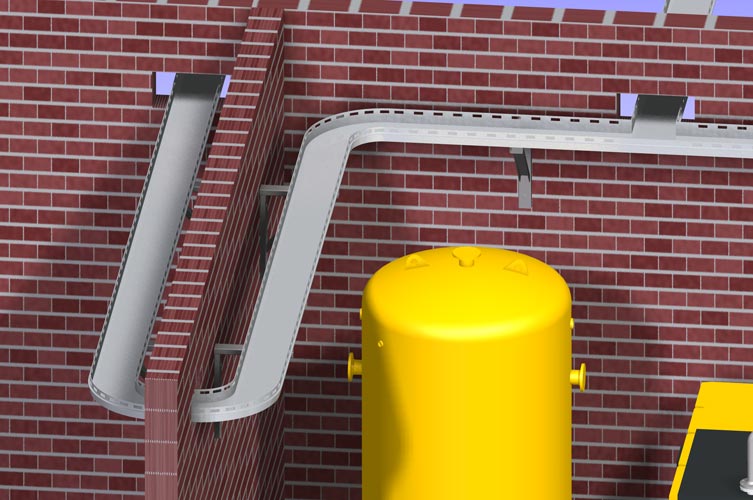
  • Form-bends with 45 and 90 degrees
  • Form-T-pieces with 45 and 90 degrees with identical and reduced cross-section
  • Form-flanges and washers
  • and the generation of form-pipes between the placed form-fittings

As a special function extention, the alignment of the particular components (left/right, as well as up or down) is taken into account.
Top

Advantages of using Smap3D Piping

3D-CAD-Software for pipeline planning - Smap3D Piping - Main functions
  • Comprehensive 3D standard parts library available
  • Library easily extended with any components
  • Automatic generation of complete pipe systems
  • Flexible installation of additional components
  • Automatic updating after alteration
  • Allowance for sloping gradients
  • All tools necessary for pipe class construction and maintenance included
  • Simple usage and fast user acceptance
  • One single tool to construct round and non-round piping
  • Collision detection via functions of the base CAD system
  • Automatic drafting via functions of the base CAD system
  • Automatic construction of bills of materials
  • Automatic construction of pipeline isometries
  • 'Walk-through' animation via functions of the base CAD system
  • And much more…